Tab management
Manage multiple query tabs
Each time you create or open a query, a new tab will appear in the app bar. This lets you work with multiple queries at once and easily switch between different data views.
If there isn't enough space to display all your query tabs at once, use the Scroll buttons to move them horizontally.
Select a query tab to show its results. To discard a query tab, select its Close button.

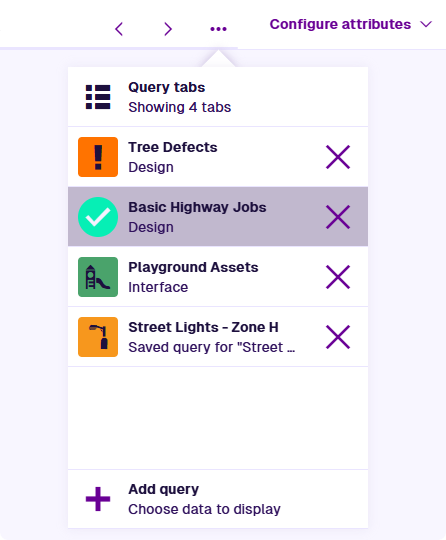
Query tabs popover
Alternatively, select Query tabs in the top-right corner. This lists your queries vertically instead of horizontally, for easier tab management on mobile devices.
Select a query tab to show its results. To discard a query tab, select its Close button. You can also reorder queries by dragging them up and down the list.