Item ID
A unique identifier
Every item in CausewayOne Asset Management has a unique, automatically generated Item ID number for identification. While it's mainly for internal system use, there are some ways it can be useful to you.
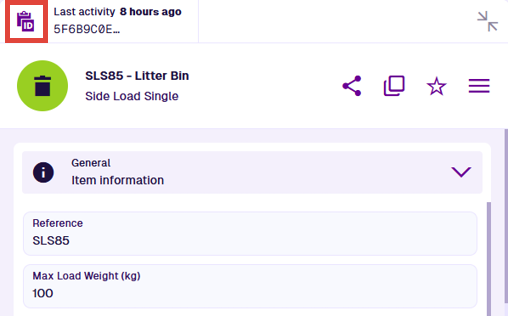
When viewing an item's details, select ID in the item's header. This copies the Item ID to your clipboard, so you can paste it elsewhere.
Examples
Item IDs are a long alphanumeric code:
5f6b9c0e8163400065eae35f
The system features included with CausewayOne Asset Management (e.g. designs, interfaces, groups, workflows) are identified by an alphabetic Global Unique Code (Guc):
designs_teamMembers
designInterfaces_defects
userGroups_workflowManagers
Custom features created by your organisation are a combination - an alphabetic code suffixed with an alphanumeric code:
designs_bollardType3_5caf1493ff5c130f70760bd4
workflows_updateMeteoSensor_5ec51ec29effd8005682cd00
Uses
Here are some ways you can use an Item ID.
Search
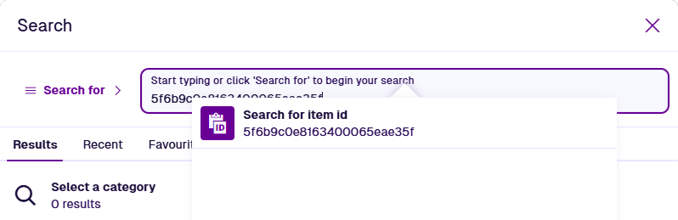
You can paste an Item ID into the Search window to quickly find an item and view its details.
AQS queries
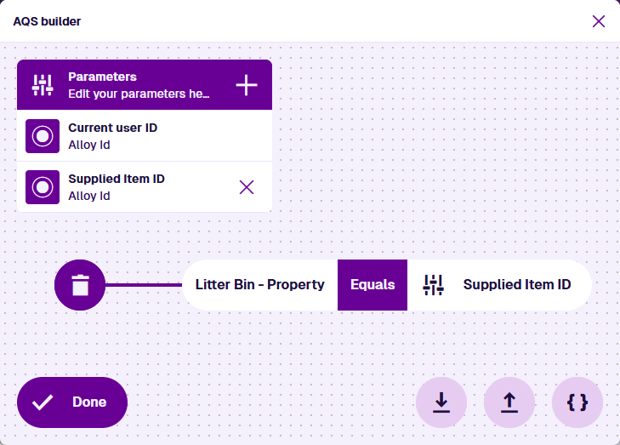
You can use Item IDs in AQS queries. They're particularly useful when used as parameters.
Reports
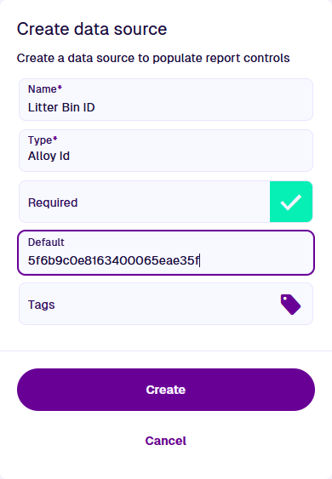
A report can contain an Alloy Id type of constant data source. You can use this to specify the item to be reported on (or as a parameter for an AQS data source).