Child node types
Filter query results
After configuring the root node of your query, you can refine the results with child nodes. Each belongs to one of three groups.
Conditions
These nodes define conditions that items must satisfy. They can be added to any query branch. Fill their segments with inputs or functions.
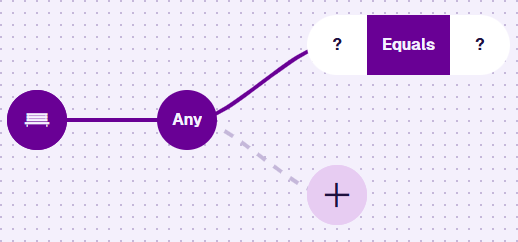
| Node Type | Description | Accepts |
|---|---|---|
| Logical nodes | Combines multiple comparison nodes into branches, using All or Any | Logical, Comparison |
| Comparison nodes | Checks a condition against one or two inputs, e.g. Equals, Less than | Inputs, Functions |
See all conditions
| Node | Segments | Accepted Value Type |
|---|---|---|
| All / Any | Branches | Conditions |
| Equals / Not equals | 2 | Any except Geometry |
| Less than / Greater than | 2 | Number, Date, Date Time, Time, Seasonal |
| Is set / Is not set | 1 | Any except Geometry, on a reference node |
| Starts with / Contains word | 2 | Text |
| Attribute search | 1 | Text, as a fixed value |
| Within / Intersects / Disjoint | 2 | Geometry |
| Connected to / Not connected to | 1 | Item Id, on a Link attribute |
Inputs
These nodes provide a value to a condition. They fill the segments of comparison nodes and functions, and hold no nodes of their own.

| Node Type | Description |
|---|---|
| Count | Counts the number of items referenced by a chosen Link attribute |
| Reference nodes | References an attribute or property value, on the queried item or a linked item |
| Value nodes | Provides a fixed, dynamic or looked-up value, e.g. Text, Number, Date |
See all inputs
| Node | Category | Value Type |
|---|---|---|
| Count | Aggregation | Number |
| Attribute | Reference | Same as the attribute |
| Property | Reference | Design code, Item Id |
| Property (Last edit date) | Reference | Date Time |
| Number | Value | Number |
| Text | Value | Text |
| Yes/No | Value | Yes/No |
| Date / Date Time | Value | Date, Date Time |
| Seasonal | Value | Seasonal |
| Time | Value | Time |
| Relative Date / Relative Date Time | Value | Date, Date Time |
| GeoJSON | Value | Geometry |
| Item | Value | Item Id |
| Global Unique Code | Value | Design code |
| Value From Item Attribute | Value | Same as the attribute |
Functions
These nodes calculate a number from segments of their own. They fill the segments of comparison nodes and other functions.

| Node Type | Description | Accepts |
|---|---|---|
| Length | Counts the characters in a text value | Inputs |
| Arithmetic nodes | Calculates a number from the inputs you supply, e.g. Add, Divide, Ceiling | Inputs, Functions |
See all functions
Compatibility
Two nodes can be compared when their value types match, subject to a few rules.
See all rules
-
One segment must read from the queried items.
-
Filling one segment restricts what the other can hold, so the order you build in changes what the builder offers.
-
Two attributes can only be compared if they're the same type on the same item. Test Link attributes with Connected to, and Geometry attributes with Within / Intersects / Disjoint.
-
Attribute and Property can't be compared with each other.
-
The Last edit date property only works with Less than / Greater than.