Text node
Provide a fixed text value
The Text node represents a section of text. It can contain accented characters, scientific symbols, and even emojis!
Usage
This node is an input, so you can add it to the segments of:
-
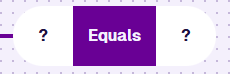
these comparison nodes:
Compatibility
This node fills one segment. A second segment must hold a Text Attribute.
| Node | Accepted Value Type | Notes |
|---|---|---|
| Attribute | Text | Use the Pathfinder to choose an attribute, on the queried item or a linked item |
Options
Select the node to access its options:
- Delete - remove the node from the segment.
- Parameter - select a compatible parameter to use as a placeholder. The value is provided when the query runs.
Alternatively, set the value directly:
-
Value - enter a string of text.
-
Add - add another Value to the node. Select to remove. Multiple values only apply to Equals / Not equals.
Example
Find all Street Lights with a unit number beginning SL/002.
In AQS terms:
Find items of the Street Lights design where their Unit Number attribute starts with SL/002.

See JSON code
This code may reference designs, interfaces, attributes or items that don't exist in your company project.
{
  "type": "Query",
  "properties": {
    "collectionCode": "Live",
    "dodiCode": "designs_streetLights"
  },
  "children": [
    {
      "type": "StartsWith",
      "children": [
        {
          "type": "Attribute",
          "properties": {
            "attributeCode": "attributes_streetLightingUnitsUnitNumber"
          }
        },
        {
          "type": "String",
          "properties": {
            "value": ["SL/002"]
          }
        }
      ]
    }
  ]
}