Offline maps
Download maps for offline use
You can download specific map regions to your device. This ensures the map is always available to you, even if you're somewhere with unreliable internet access! Remember to synchronise regularly, so you can continue working with current data in low signal areas.
To download one or more maps:
-
Open the Main menu and choose Offline Maps.
-
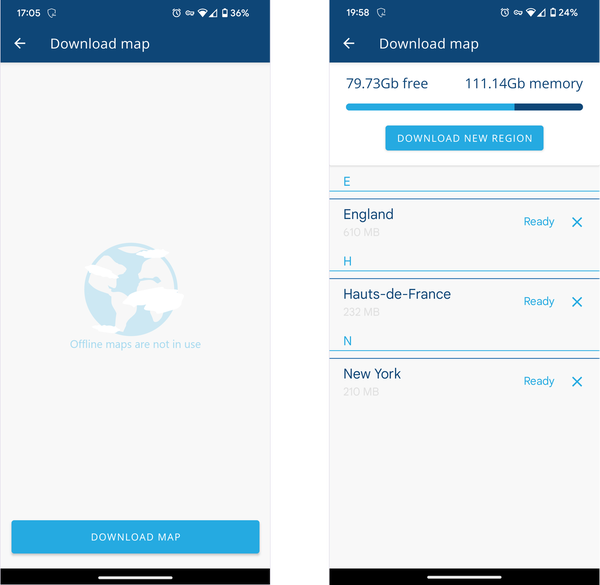
Select Download map or Download new region.
-
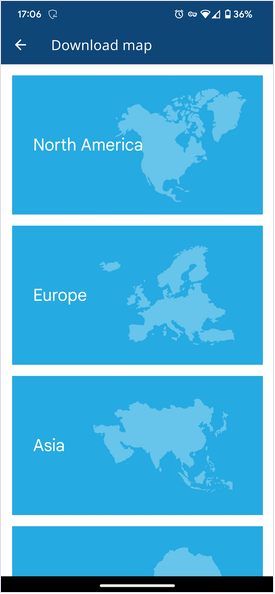
Choose the relevant continent.
-
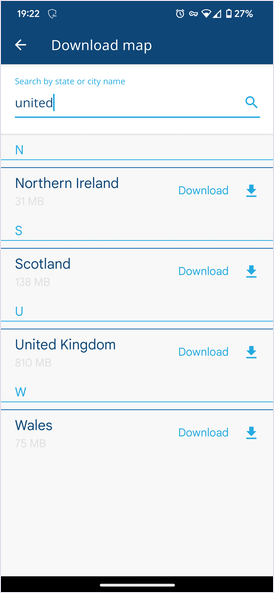
Find the relevant region in the list. Use the top search bar to filter the list as needed.
-
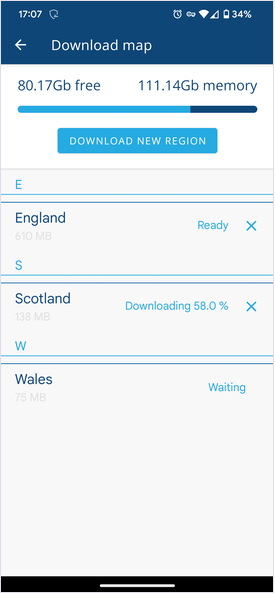
Select a region's Download button to start downloading the map. Feel free to continue using Alloy Mobile while it downloads in the background! Downloaded maps are labelled as Ready.
Remove downloads
To remove downloaded maps from your device:
-
Open the Main menu and choose Offline Maps.
-
Select the button beside each map you want to delete.