Example 2 - Geographic
This example demonstrates how to build the following query in the AQS Builder:
Fetch all bollards within this area, sorted by unit number
In full detail:
Fetch items of the Bollards design where their Geometry attribute is within a defined area, sorted by their Unit Number attribute in Ascending order
Configure the root node
-
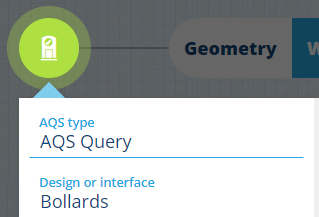
Select the root node and set the following properties:
- AQS Type - AQS Query
- Design or interface - Bollards
- Collection - Live
- Sorting - Ascending
- Sort attribute - Unit Number
- Attributes - Title, Subtitle, Unit Number
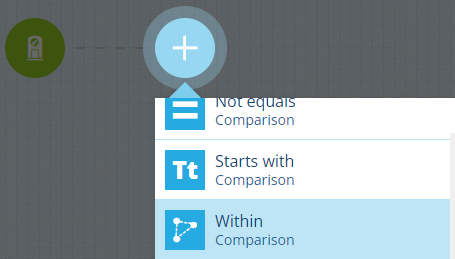
Add a comparison node
-
Select and choose the Within node type from the list.
 info
infoThe two other geographic comparison nodes are:
- Disjoint - is the first area completely outside the second area?
- Intersects - does the first area overlap the second area?
Fill the left segment
-
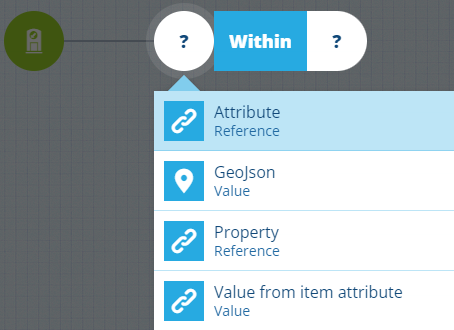
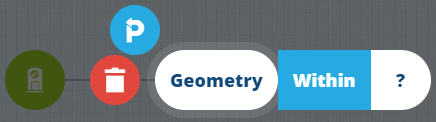
Select on the left and choose the Attribute node type from the list. The node will default to the first relevant attribute in the design/interface being queried. In this case, it's the standard Geometry attribute, which is what we want!
Fill the right segment
-
Select on the right, choose the GeoJson node type, and then No geometry.
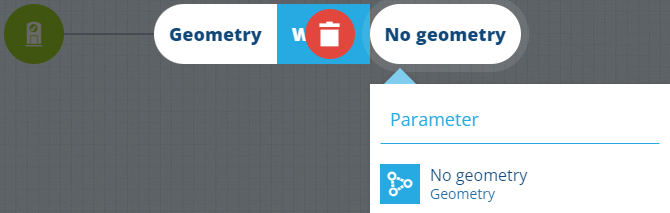
-
Select to open the Geometry Editor and use it to define an area. Alternatively, select Locations of interest to choose a predefined area. Select Save.
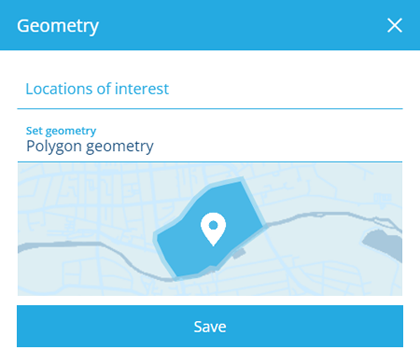

Finish
-
Select Done (bottom-left) to finish.
See JSON code
This code may reference designs, interfaces, attributes or items that don't exist in your company project.
{"type": "Query","properties": {"attributes": ["attributes_itemsTitle", "attributes_itemsSubtitle", "attributes_streetLightingUnitsUnitNumber"],"collectionCode": ["Live"],"dodiCode": "designs_bollards","sortInfo": {"attributeCode": "attributes_streetLightingUnitsUnitNumber","sortOrder": "Ascending"}},"children": [{"type": "GeomWithin","children": [{"type": "Attribute","properties": {"attributeCode": "attributes_itemsGeometry"}},{"type": "Geometry","properties": {"value": {"type": "Polygon","coordinates": [[[-1.528451, 52.291276],[-1.532371, 52.290544],[-1.535095, 52.288647],[-1.534088, 52.28752],[-1.527428, 52.290062],[-1.528451, 52.291276]]]}}}]}]}