Attribute Search node
Description
The Attribute search node takes one input. It filters the items in your query by checking if any attribute contains the inputted text string or number, e.g. hello, 64
It's similar to the Contains word node but has a wider scope.
| Attribute Search Node | Contains Word Node | |
|---|---|---|
| What attributes can be searched? | All attributes on the design/interface being queried | One specific attribute |
| What can be searched for? | Text, number | Text |
Usage
This node is a condition. It can be added to the query branch directly after the root node or a logical node.
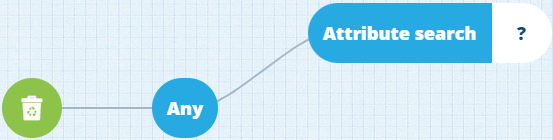
It can be populated with a Text node (you can input a number as text).
Options
Select the node to access its options:
-
Swap - use a different comparison node. Any populated segments are kept, which limits the options.
-
Delete - remove the node from the query branch.
-
Link negated - enable this to invert the condition imposed by the node. Items must now fail the condition to be included in the query results.
Example
Fetch all inspections that involve graffiti
In full detail:
Fetch items of the Inspections interface where any of their attributes contain the word graffiti

See JSON code
{
  "type": "Query",
  "properties": {
    "collectionCode": "Live",
    "dodiCode": "designInterfaces_inspections"
  },
  "children": [
    {
      "type": "GlobalAttributeSearch",
      "children": [
        {
          "type": "String",
          "properties": {
            "value": ["graffiti"]
          }
        }
      ]
    }
  ]
}