Starts With node
Description
The Starts with node takes two inputs. It filters the items in your query by checking if the specified attribute begins with the inputted text string, e.g. hello
Usage
This node is a condition. It can be added to the query branch directly after the root node or a logical node.
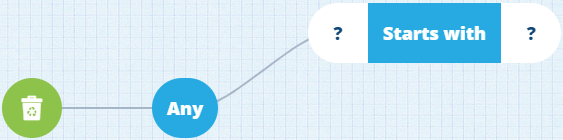
It can be populated with these nodes:
- Attribute (of Text type)
- Text node
- Value From Item Attribute (of Text type)
Options
Select the node to access its options:
-
Swap - use a different comparison node. Any populated segments are kept, which limits the options.
-
Delete - remove the node from the query branch.
-
Link negated - enable this to invert the condition imposed by the node. Items must now fail the condition to be included in the query results.
Example
Fetch all street lights with a unit number starting with SL/002
In full detail:
Fetch items of the Street Lights design where their Unit Number attribute starts with SL/002

See JSON code
This code may reference designs, interfaces, attributes or items that don't exist in your company project.
{
  "type": "Query",
  "properties": {
    "collectionCode": "Live",
    "dodiCode": "designs_streetLights"
  },
  "children": [
    {
      "type": "StartsWith",
      "children": [
        {
          "type": "Attribute",
          "properties": {
            "attributeCode": "attributes_streetLightingUnitsUnitNumber"
          }
        },
        {
          "type": "String",
          "properties": {
            "value": ["SL/002"]
          }
        }
      ]
    }
  ]
}