Cloning a layer style
How to clone styles within layers
Overview
It's possible to clone an existing style. This allows you to create multiple styles that have similar settings quickly.
Cloning a style
To clone an existing style use the following procedure:
-
Select Layers in the right panel menu to open the list of all layers.
-
Select a layer to display its list of styles.
-
Select the style that you want to clone.
-
Select More in the action bar and choose Clone style.
-
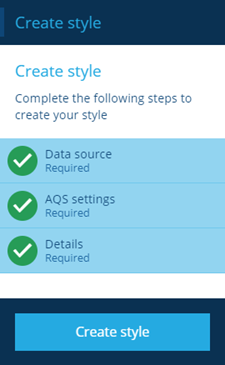
The Create style panel is displayed on the left hand side. All the steps in the process are shown complete. All the settings are copied from the previously selected style, you can select any of the steps to change the settings for the new style, see Adding layer styles.
-
Select Create style to finish.
When you can create the new style without changing any details it is an exact copy of the source style and can edit them later, see Editing layer styles.