Groups
A group is a set of permissions that grant access to objects across one or more data categories, including designs and interfaces.
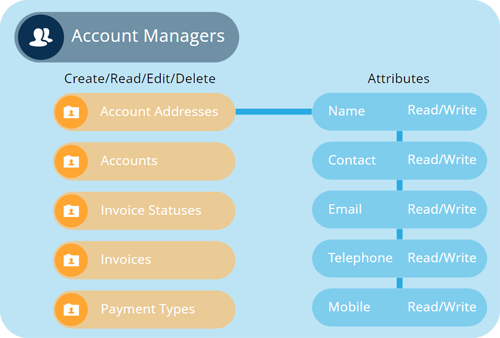
A number of preconfigured system groups are included to you get started! However, admins can also create new groups to represent different sets of resources in the organisation, and then use the Permissions Manager to define the permissions on each one.
A group can be added to one or more roles. Each role inherits the permissions of its groups. When users are added to that role, they inherit those combined permissions.
For optimal permissions management, keep groups minimal and modular, so they can be reused across multiple roles.
System groups
Preconfigured user groups
Viewing groups
View the details of a group
Creating groups
Create a new group
Editing groups
Edit a group's roles, users and permissions
Deleting groups
Delete an unused group