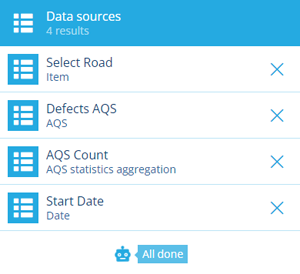
Report data sources
Bring content into your custom report
When using the Report Builder to design a custom report, you can define one or more data sources. These determine the content of the report, so having at least one is recommended!
A data source can represent data collected from your company project or a manually entered value:
-
the attribute data of an individual item
-
an AQS query that returns attribute data from multiple items which fulfil a set of criteria, e.g. fetch all completed inspections within this area that were reported in 2026
-
a constant value such as a date, a number, or geometry coordinates
A data source be configured with a default value. When a user runs your report, they'll see the data sources and have the opportunity to change their values before continuing.
When adding large data sources, please be mindful of the custom report limits.
Create a data source
To create a new data source in your custom report:
-
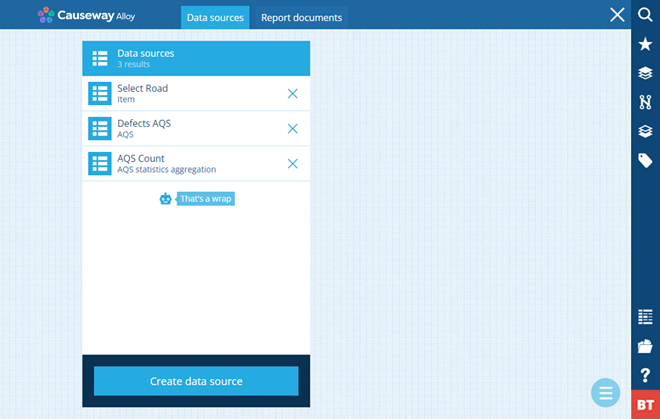
In the Report Builder, open the Data sources tab and select Create data source.
-
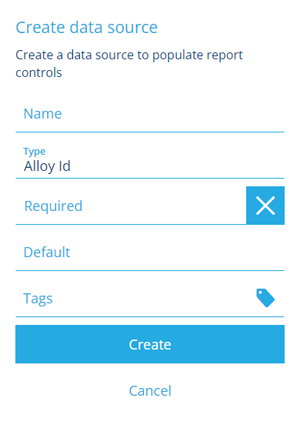
Supply a distinct Name. Users see this when running the report, so make sure it describes the data source clearly. To ensure the data source is always populated when running the report, enable Required.
-
Choose a Type. The remaining fields change depending on your choice. For further guidance, see the relevant article. Select Create to finish.
Type Description Article Alloy Id Represents an Item ID value Constant data source AQS Represents an AQS query that returns attribute data for qualifying items of a particular design/interface AQS data source AQS statistics aggregation Represents an AQS query that returns statistical data about qualifying items of a particular design/interface AQS statistics data source Date Represents a date value Constant data source Date Time Represents a date and time value Constant data source Geometry Represents geometry coordinates in GeoJSON format that define a point, line or polygon on the map Constant data source Item Represents a single item of a particular design/interface Item data source Join Joins two other data sources together (typically two AQS types) Join data source Number Represents a number value Constant data source Seasonal Represents a seasonal value (a date without a year) Constant data source Text Represents a text value Constant data source Time Represents a time value Constant data source Yes/No Represents a boolean value Constant data source
Manage data sources
Data sources appear in the left list. Select one to view its details on the right:
-
To duplicate the data source, select Menu (bottom-right) and choose Copy data source.
-
To delete the data source, select its Remove button and answer Yes to the confirmation.